I'm creating an interactive visualization using d3.js; the top of the visualization has a GUI which I'm styling with bootstrap. I'm trying to style the GUI as a .form-inline, however the labels for the checkboxes are not showing and the spacing between the .form-group isn't working.
Rendered html:

Rendered code:
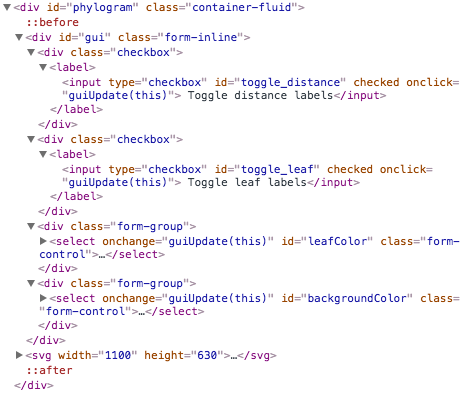
JS code
For the checkboxes I'm using (where selector is the div ID that everything is being rendered in):
var gui = d3.select(selector).append("div")
    .attr("id", "gui")
    .attr("class","form-inline")

gui.append("div")
    .attr("class","checkbox")
    .append("label")
    .append("input")
    .attr("type","checkbox")
    .attr("id","toggle_distance")
    .attr("checked","")
    .attr("onclick","guiUpdate(this)")
    .text(" Toggle distance labels")
For the dropdown I'm using:
var leafSelect = gui.append("div")
    .attr("class","form-group")
    .append("select")
    .attr('onchange','guiUpdate(this)')
    .attr('id','leafColor')
    .attr("class","form-control")

leafSelect.selectAll("option")
    .data(mapParse.keys()).enter()
    .append("option")
    .text(function(d) { return d; })
Looking at the bootstrap form examples, it looks like everything should be rendering properly. What am I missing?

Aucun commentaire:
Enregistrer un commentaire